
Make every second count.
Turn longer screen recordings into focused App Store previews. Trim unnecessary footage, adjust playback speed, and bring your video within Apple’s 30-second preview limit without changing your original recording.
APP STORE MEDIA TOOL · MAC
Coming Soon — MacStoreSculpt
From your first screen recording to your final App Store submission, StoreSculpt brings video editing, preview preparation, technical compliance checking, and screenshot tools together in one streamlined Mac application.
Spend less time wrestling with video formats and export settings—and more time building your next great app.
Coming Soon for macOS
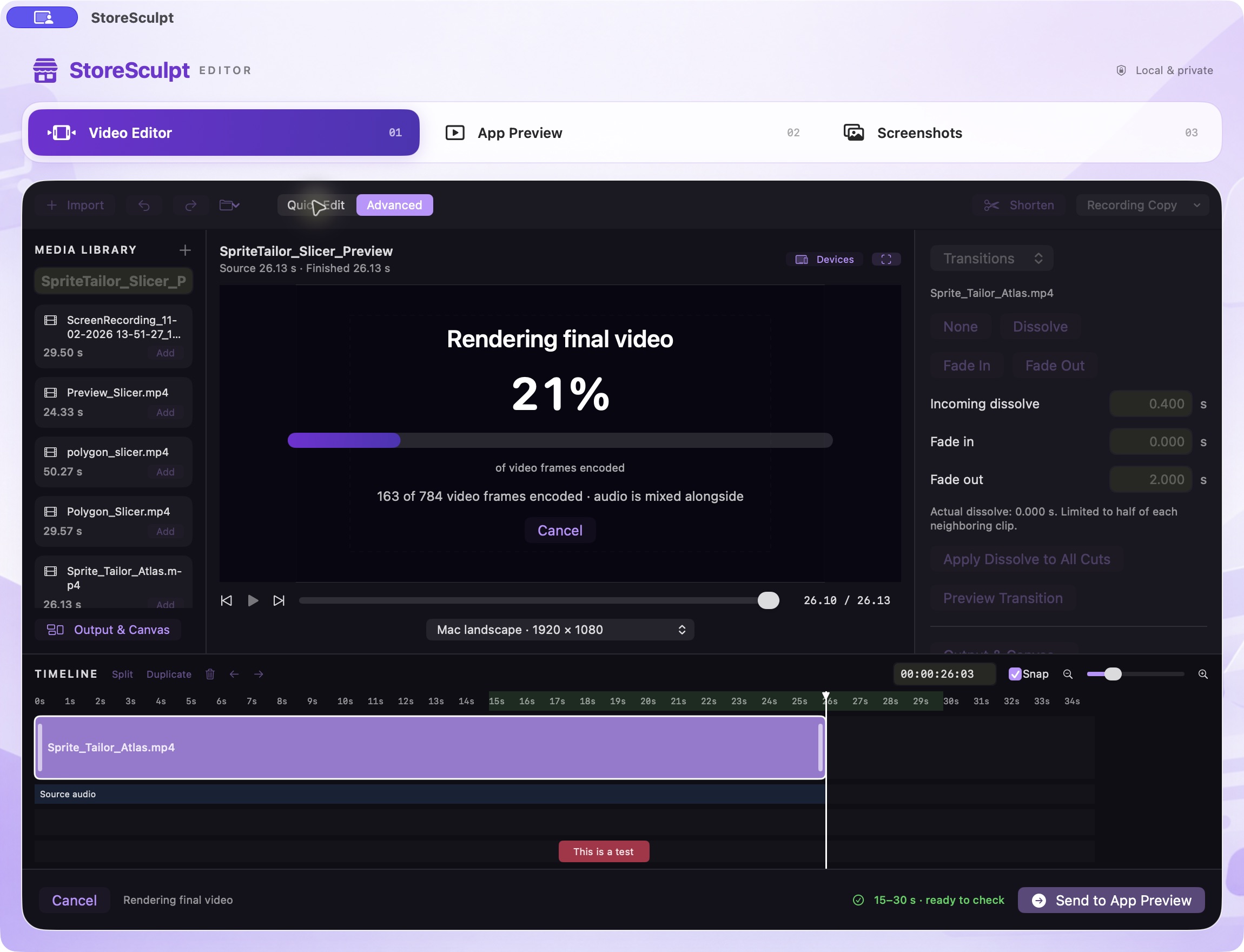 Mac · development capture
Actual StoreSculpt development build on Mac, preparing a SpriteTailor preview video.
THE TOOLKIT
Turn longer screen recordings into focused App Store previews. Trim unnecessary footage, adjust playback speed, and bring your video within Apple’s 30-second preview limit without changing your original recording.
Add transitions, background audio, fade effects, text overlays, logos, and visual adjustments. StoreSculpt provides the essentials for creating polished previews without the complexity of a full professional video editor.
Choose a supported Apple device format and prepare your preview with the appropriate dimensions, orientation, frame rate, and encoding settings. StoreSculpt helps take the guesswork out of technical video preparation.
Run a detailed compliance check covering video duration, resolution, frame rate, codec, audio, file size, and other technical requirements. See clear pass/fail results and actionable guidance before exporting.
Prepare your App Store screenshots in the same workspace. Choose supported device dimensions, resize and position your images, and export them in the appropriate format for your App Store listing.
Save your work and return to it later. Keep imported media, timeline edits, preview settings, and screenshots organized within individual projects.
StoreSculpt is preparing for release. Features and interface details may change. Technical checks help validate submission requirements; they do not guarantee Apple’s content review or App Store approval.
ONE CONNECTED WORKFLOW
Five practical steps, with your project at the center.
Bring in your screen recordings and media.
Trim or speed up footage to meet the App Store preview duration limit.
Add transitions, audio, titles, and visual effects.
Check your preview against Apple’s technical submission requirements.
Produce your final preview video and prepare screenshots for App Store Connect.
BUILT BY A DEVELOPER. FOR DEVELOPERS.
StoreSculpt began with a familiar problem: creating an app is challenging enough without spending hours preparing the videos and screenshots needed to share it.
While developing and publishing my own apps, I found myself jumping between video editors, conversion tools, screenshot utilities, and Apple’s technical specifications.
I wanted something simpler.
So I built StoreSculpt—a focused Mac tool designed to bring those essential tasks together in one place.
It’s the workflow I wanted for my own projects, and now I’m building it for other developers, too.
Ambient Trace StudioFOCUSED ON YOUR MAC
Designed for macOS, StoreSculpt combines practical editing tools with a straightforward submission-preparation workflow. No elaborate editing suite required—just the tools you need to get your App Store media ready.
Video and image processing happens on your Mac.
INSIDE STORESCULPT
Real captures of the Mac application in development. Interface details may change before release.
COMING SOON ON MAC
Make the final steps of App Store preparation simpler with StoreSculpt.