
Image & sprite utility
Available on MacSpriteTailor
Your artwork. Ready for what’s next.
A native image and sprite utility, available now on Mac. Trim and resize PNGs, slice sprite sheets, refine complex outlines, blend edges, and pack texture atlases. Artwork processing happens on your device.
Mac
 Mac · version 1.1 preview
The new Main Screen · version 1.1 update preview
PROJECT DIRECTION
Trim & resize
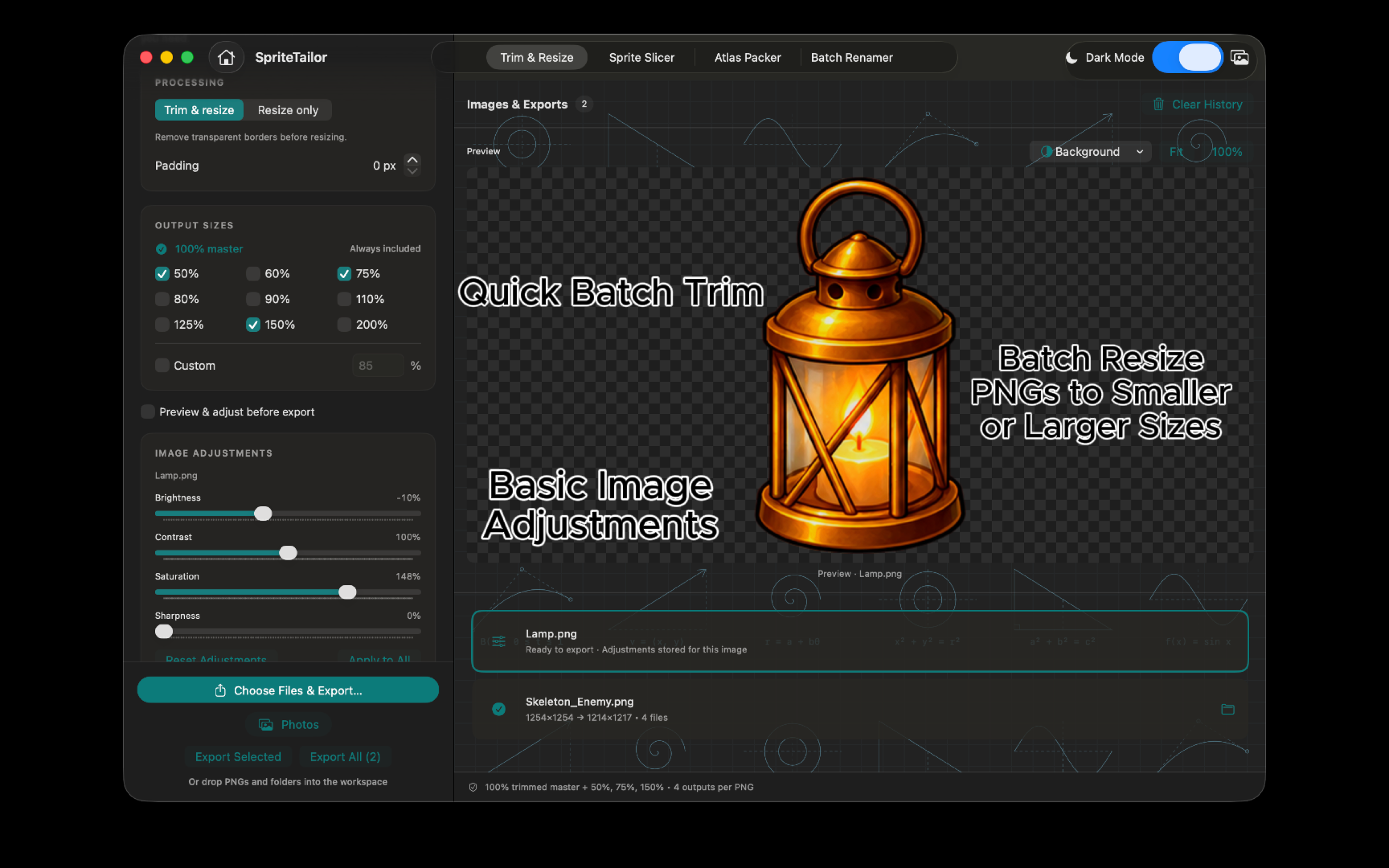
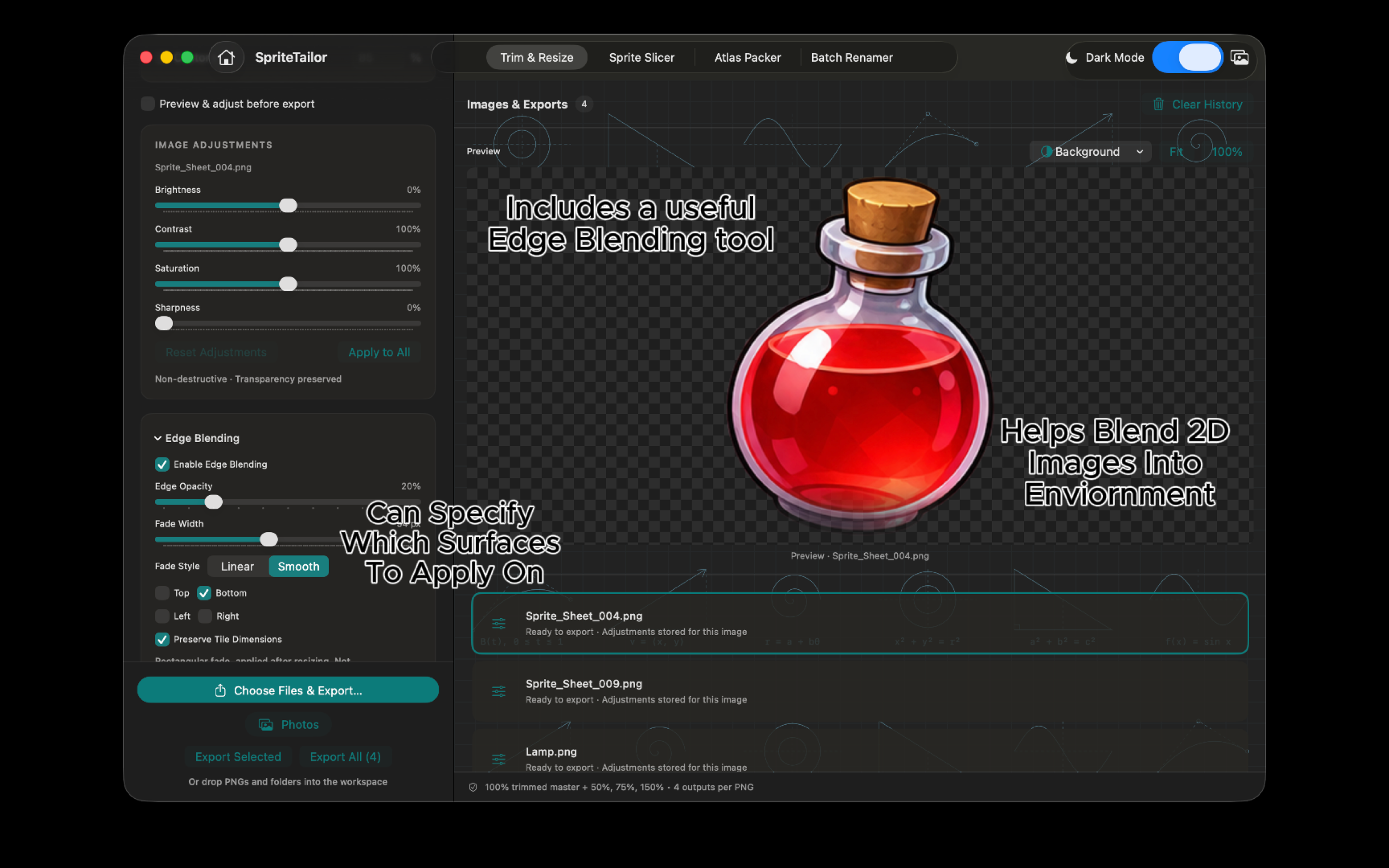
Trim transparent space, export multiple sizes, and adjust images or blend their edges before export.
Slice & refine
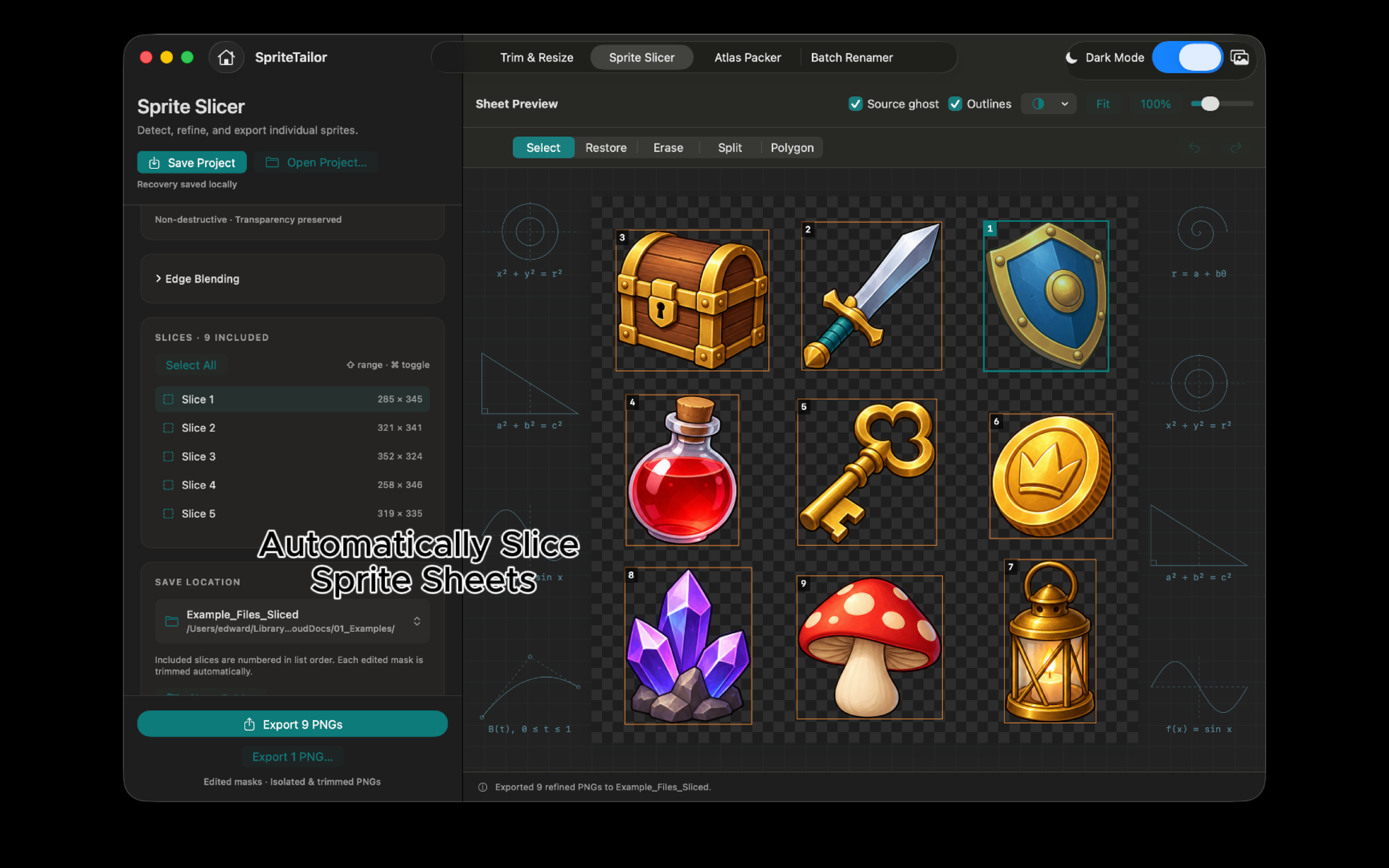
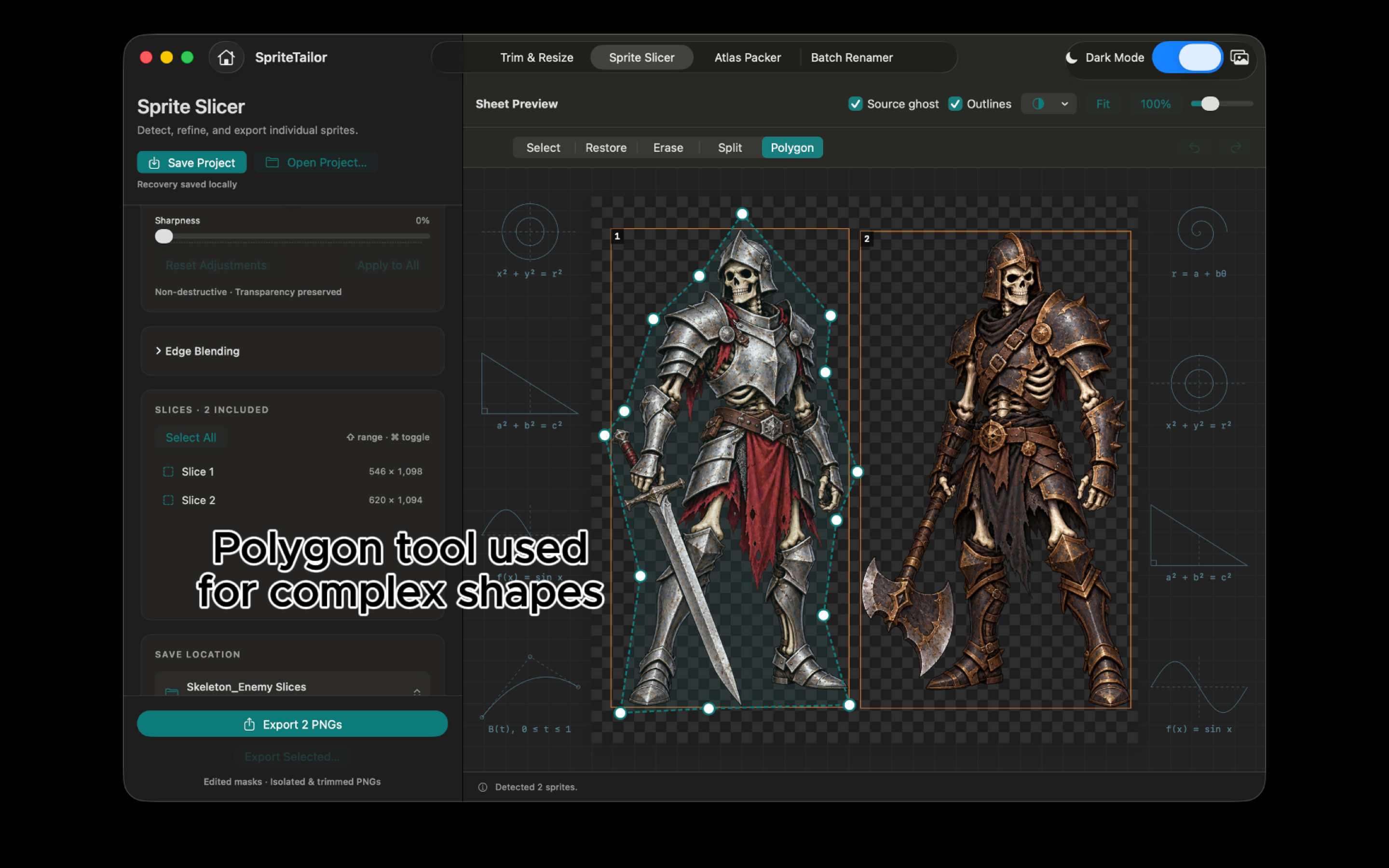
Detect individual sprites, refine complex shapes with polygon selection, and export the resulting PNGs.
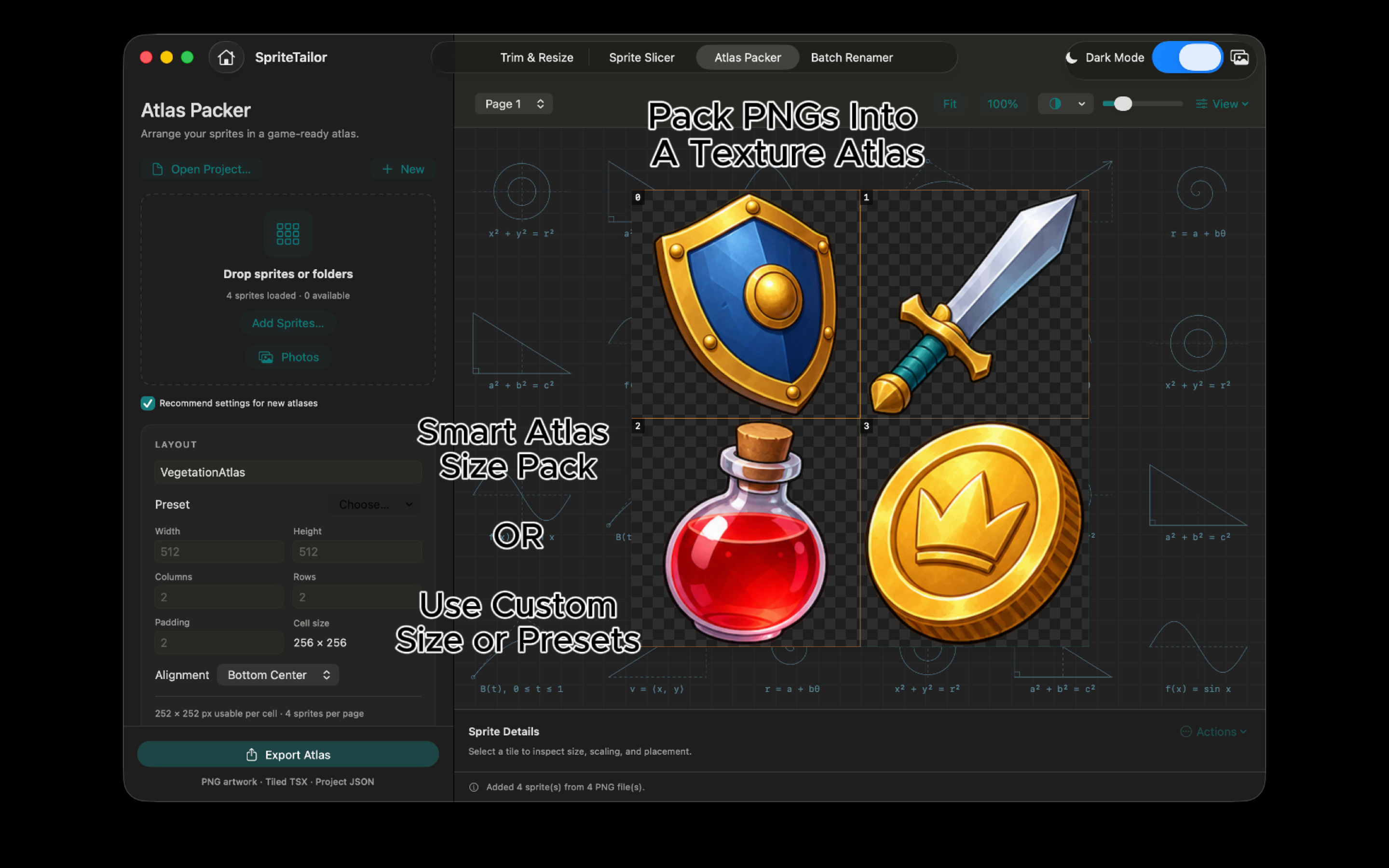
Pack your atlas
Bring sprites together in texture atlases and export PNG, JSON, and Tiled-ready TSX files.
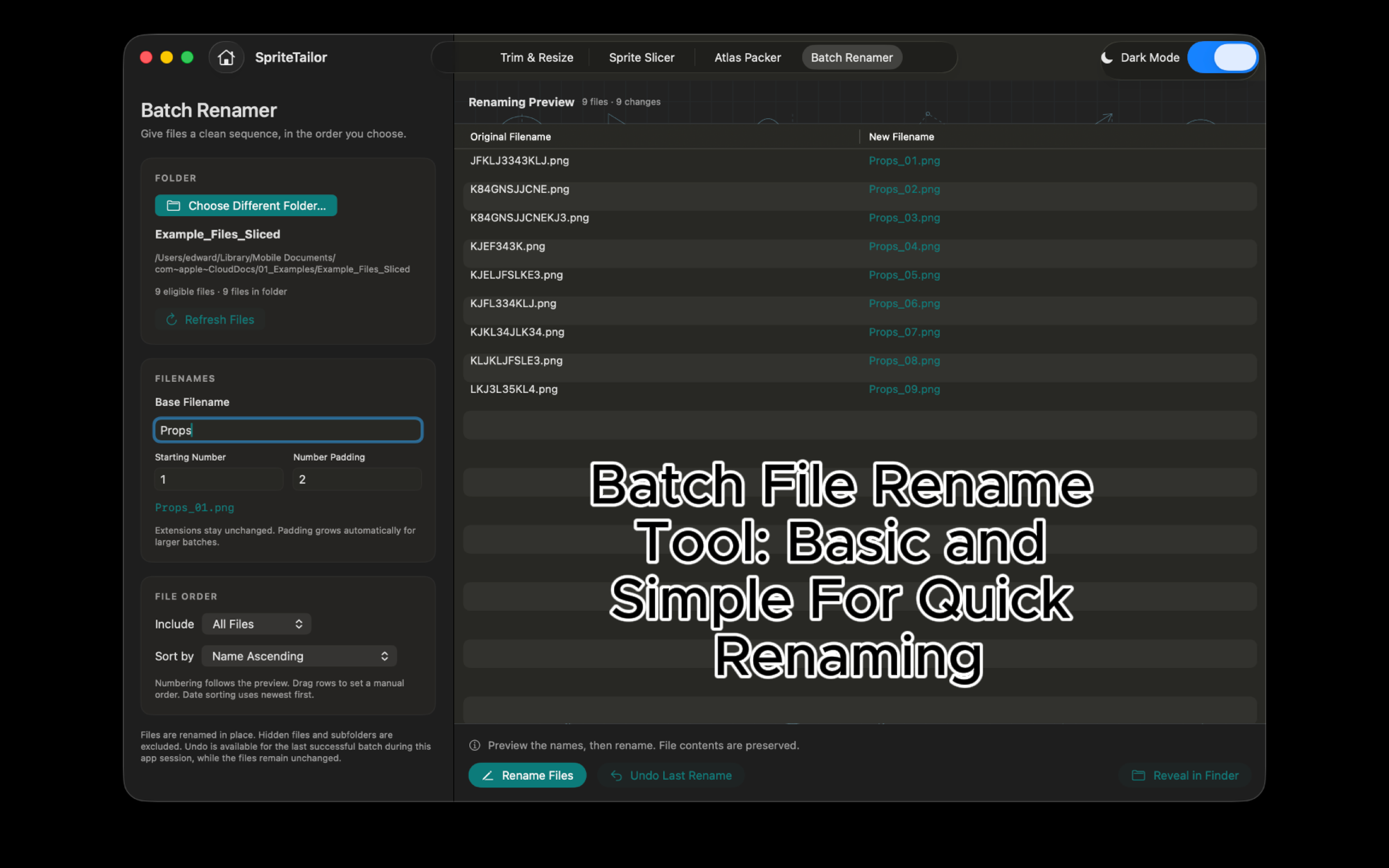
Batch File Renamer
Preview numbered filenames and rename a batch of files, with an undo option. Part of the version 1.1 update preview.
Available now on Mac. The screenshots and videos below preview the version 1.1 update; they are shown separately from the current App Store release.
VERSION 1.1 UPDATE / MAC PREVIEWS
See the workflow in motion.
Press play to explore.
Sound starts muted; you can turn it on.
Actual recordings and screenshots from the Mac version 1.1 update supplied by the developer. SpriteTailor is available on the Mac App Store; the store currently lists version 1.0.
Swipe to explore the previews
Slice a sprite sheet
Follow a sprite sheet from import and detection to individual PNG exports.
Open videoSelect complex shapes
Use polygon selection to isolate an irregular sprite and refine the selected artwork.
Open videoA closer look at polygon editing
A longer demonstration of placing and adjusting an outline around a complex sprite.
Open videoBuild a texture atlas
Open Atlas Packer, bring in your sprites, and arrange them in a texture atlas.
Open videoA CLOSER LOOK
Your Mac workflow, in focus.
Seven screenshots previewing the version 1.1 Mac update, including the new main screen and Batch Renamer. Select any image for a closer look.
Actual recordings and screenshots from the Mac version 1.1 update supplied by the developer. SpriteTailor is available on the Mac App Store; the store currently lists version 1.0.
QUESTIONS & INFORMATION